
Customer service and emails: automating customer requests without losing your company's tone
Customer requests and emails eat up your days. What AI can automate in a small business (sorting, drafts, follow-ups), what should stay human and how to start.
In short
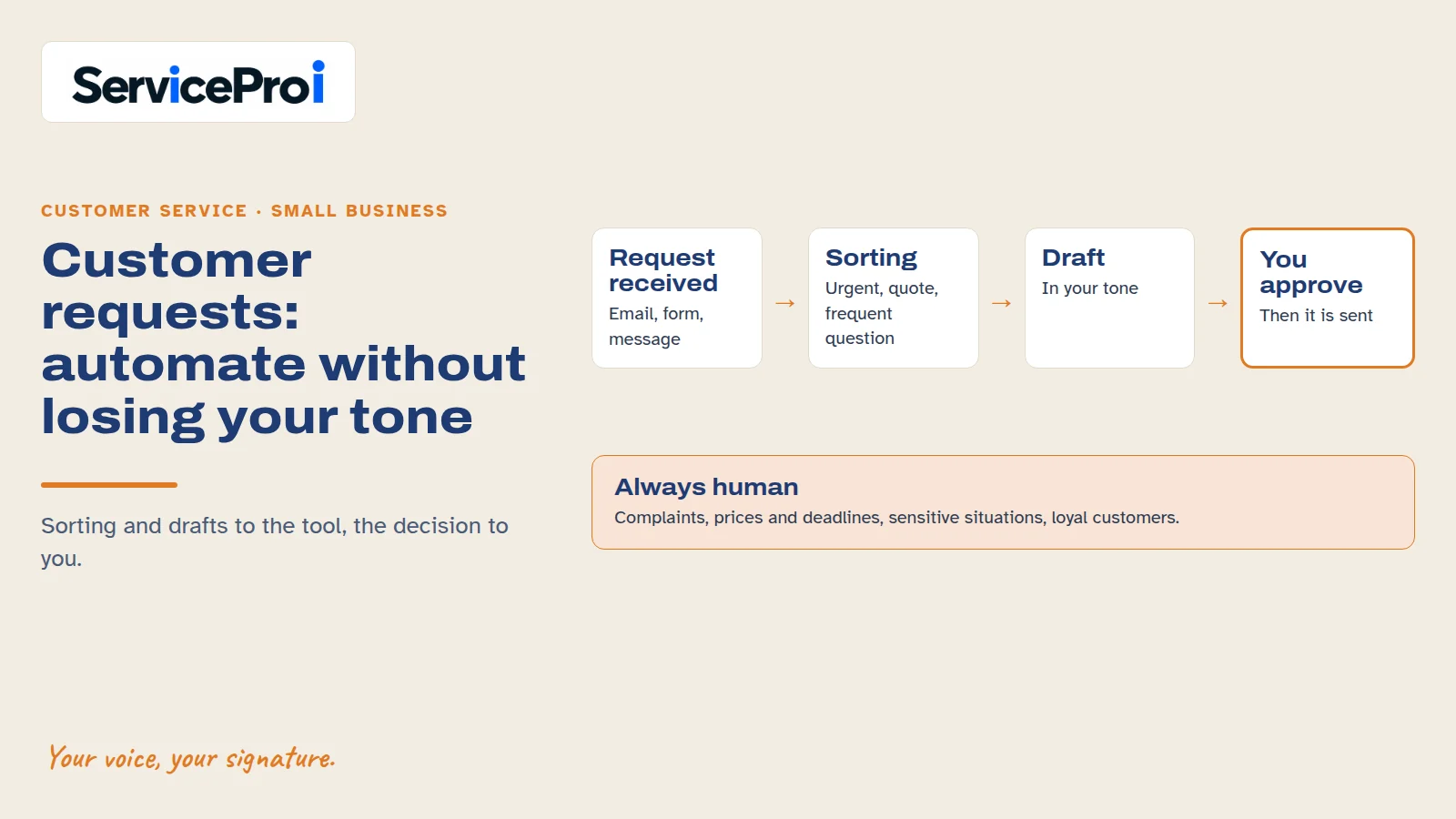
- Sorting, preparing drafts and follow-ups are good candidates for automation.
- Any reply that commits you (price, deadline, complaint) stays human.
- Start with the most frequent requests, in your own words.
In a small business, customer service is often you. Between the phone, the inbox, website forms and social networks, requests come in through every channel, and the same questions keep coming back.
Part of this work can be lightened, provided you know which part.
What automates well
Sorting. A quote request, a question about opening hours, a complaint, an invoice: AI can classify incoming messages and flag the urgent ones.
Frequently asked questions. "What are your opening hours?", "Do you cover my area?", "How can I track my order?": answers based on your up-to-date information.
Drafts. The tool prepares a reply that you read and send. You stay in control and save the writing time.
Follow-ups. A quote with no answer, a missing document, an appointment to confirm: the tool flags it and suggests the message.
Collecting information. Before you reply, a form or an assistant can gather what you need: address, type of need, photos, preferred timing.
What should stay human
- Complaints and unhappy customers.
- Anything that commits the business: price, firm deadline, goodwill gesture.
- Unusual or sensitive situations.
- Exchanges where the relationship matters (a loyal customer, a partner).
A simple rule: if a mistake by the tool could cost money or damage a relationship, a human approves.
Keeping your company's tone
The legitimate fear is becoming impersonal. To avoid it:
- Gather 15 to 20 of your real replies: they serve as examples of tone, length and phrasing.
- Write down what you never say (jargon, overly salesy phrases).
- Read the first drafts and correct whatever sounds wrong: the instructions get sharper.
- Sign with your name: the customer knows who is answering, even if the writing was prepared.
Where to start
- Over a month, note the five requests that come up most often.
- Write a standard reply for each one, approved by you.
- Set up sorting and drafts for these five cases only.
- Measure: time saved, errors detected, customer satisfaction.
- Expand little by little.
Precautions
- Inform: if a customer is talking to an automated assistant, say so clearly.
- Personal data: an email contains data; know where it is processed.
- Safeguards: stop the tool from promising a price or a deadline.
- Emergency exit: the customer must always be able to reach a human easily.
In summary
Automating part of customer service frees up time for what matters: the customers who really need you. The key is to start with simple, frequent requests, keep human approval for anything that commits you, and preserve the way you speak. To go further, read AI agents in everyday work or AI agents for SMEs. To estimate the time at stake, do the quick calculation of repetitive tasks.