
Automatic document extraction: sorting invoices, quotes and letters without retyping everything
Sorting and retyping invoices, quotes and letters by hand costs hours every month. What automatic document extraction can do, its limits, and how to set it up safely.
In short
- Automatic extraction reads a document (invoice, quote, letter) and pulls out the useful information: supplier, amount, date, reference.
- It sorts and prepares; it doesn't replace your checking: a human check on amounts remains essential.
- Start small: one type of document, a few dozen examples, a measured result before expanding.
Every month, the same ritual: supplier invoices arrive by email, quotes by post, receipts as photos. They have to be opened, named, filed, then the amounts copied into a spreadsheet or management software.
It is slow and repetitive, and it is where typing errors creep in. Automatic document extraction tackles exactly this task.
What automatic extraction really does
The principle is simple: a tool "reads" the document, as you would, and fills in the fields you care about for you.
For an invoice, for example:
- the supplier's name;
- the invoice number and date;
- the amount before tax, the VAT, the total;
- the payment due date.
For a letter, it can identify the sender and the subject, and attach it to a customer file. This is also called document triage: knowing what it is and where to file it.
What it doesn't do (or doesn't do well)
Better to know before you start:
- Unreadable documents: a blurred photo, a crooked scan, hard-to-read handwriting. The result depends on the starting quality.
- Very varied formats: a supplier whose invoice changes every month will need more tuning.
- Misinterpretations: a tool can confuse a total including tax with one excluding tax, or read an "8" instead of a "3". It doesn't always say so.
That is why this kind of tool is never plugged directly into the accounts without an approval step.
The right method: propose, then approve
A sensible workflow looks like this:
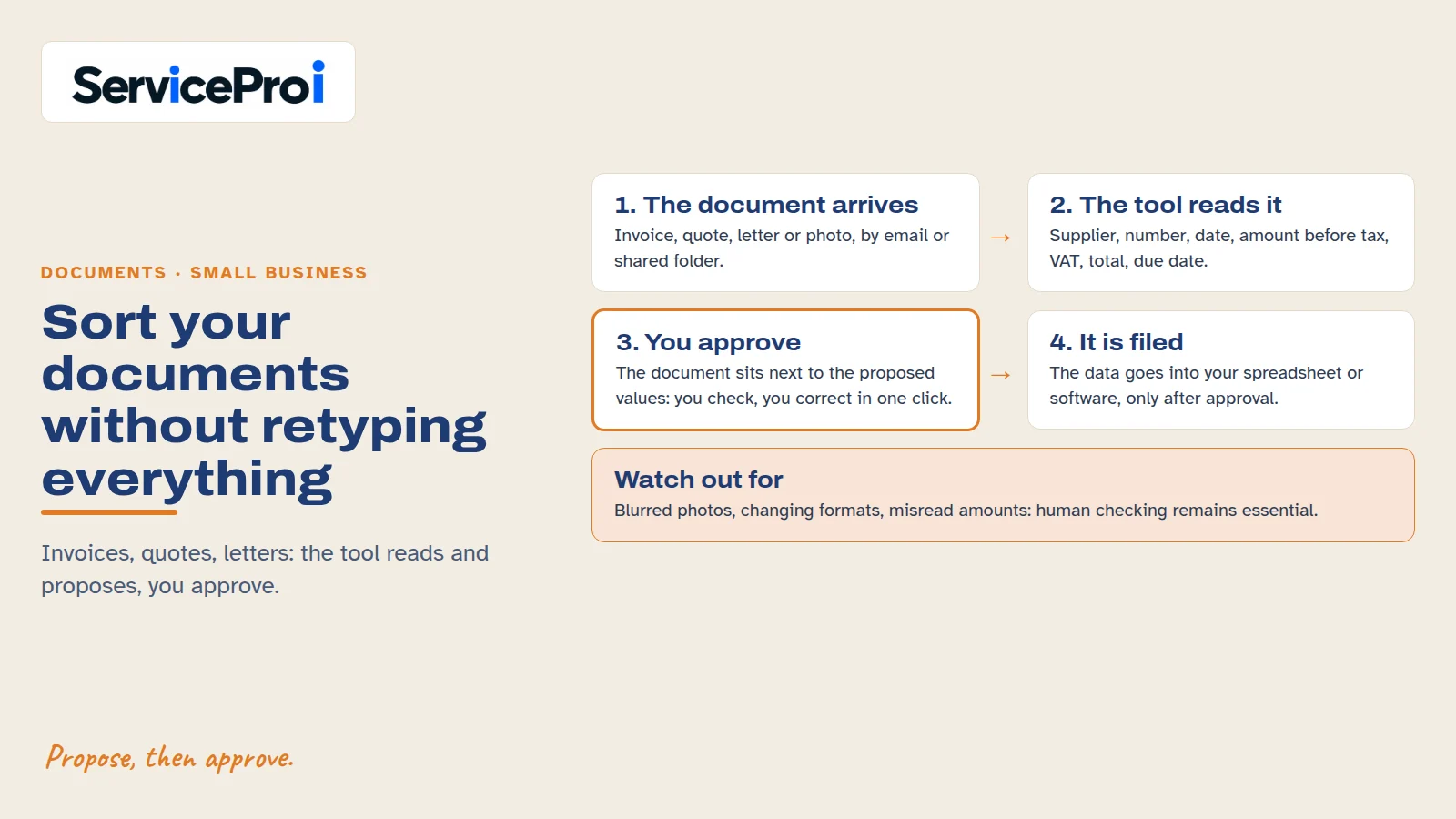
- The document arrives (email, shared folder, photo from your phone).
- The tool proposes the extracted information and where to file it.
- You see the document next to the proposed values, and approve or correct them in one click.
- Only then does the data go into your spreadsheet or software.
This approval takes little time, since you no longer type anything: you check. And your corrections help improve the settings.
Where to start
Choose a single type of document. Supplier invoices are often the best candidate: there are many of them, their structure is fairly regular, and the stakes are clear.
Gather real examples. Around forty varied documents are enough to see what works and what gets stuck.
Measure before rolling out. On these examples, count how many fields are right first time. If the result is good, you expand. If not, you adjust or give up, without having invested heavily.
Points to watch
- Personal data: a letter or an invoice may contain the names and addresses of private individuals. Check where the documents are processed and what happens to their content.
- Retention: your obligations to keep accounting records don't change. The original stays the original.
- Dependence: always keep a way to get your documents and data back in an open format.
In summary
Automatic document extraction is not magic, but it removes a large part of repetitive data entry. Well framed, with a human approval step, it frees up time without putting your bookkeeping at risk.
To know whether your case is a good fit, start with the fundamental question: what problem do you really want to solve?